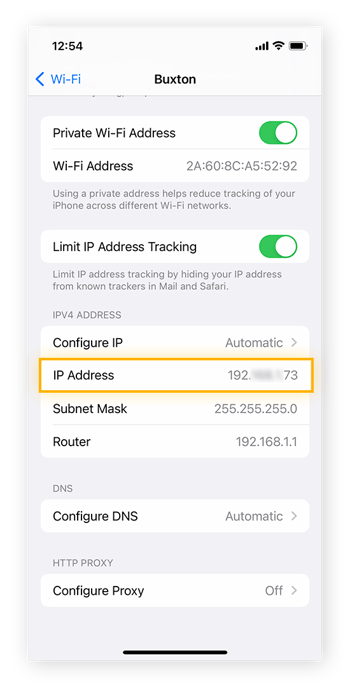
iPhone/iPads have device-specific IP addresses. Having the device's IP address can be useful for troubleshooting network issues.
Finding the device-specific IP address on iOS
NOTE: This only works if you are able to connect to the network having issues. If you are not able to connect on the network, you will not be able to retrieve an internal IP address.
- Open iPhone Settings and tap Wi-Fi. Then, tap the information icon (i) next to the network you’re connected to.
- The internal IP can be found beside IP Address under the IPV4 ADDRESS section.