42.0 - Updated on 2025-04-02 by Peyton Armstrong
41.0 - Updated on 2024-10-16 by Darrick Bremner
40.0 - Updated on 2024-08-22 by Peyton Armstrong
39.0 - Updated on 2024-08-22 by Peyton Armstrong
38.0 - Updated on 2024-08-21 by Peyton Armstrong
37.0 - Updated on 2024-08-21 by Peyton Armstrong
36.0 - Updated on 2024-08-21 by Peyton Armstrong
35.0 - Updated on 2024-08-21 by Peyton Armstrong
34.0 - Updated on 2024-08-21 by Peyton Armstrong
33.0 - Updated on 2024-08-21 by Peyton Armstrong
32.0 - Updated on 2024-05-16 by Darrick Bremner
31.0 - Updated on 2024-05-03 by Peyton Armstrong
30.0 - Updated on 2024-05-03 by Darrick Bremner
29.0 - Updated on 2024-04-29 by Peyton Armstrong
28.0 - Updated on 2024-04-26 by Peyton Armstrong
27.0 - Updated on 2024-04-26 by Peyton Armstrong
26.0 - Updated on 2024-04-26 by Peyton Armstrong
25.0 - Updated on 2024-04-26 by Peyton Armstrong
24.0 - Updated on 2024-03-26 by Peyton Armstrong
23.0 - Updated on 2023-03-29 by Peyton Armstrong
22.0 - Updated on 2023-03-27 by Peyton Armstrong
21.0 - Updated on 2023-03-27 by Peyton Armstrong
20.0 - Updated on 2023-03-27 by Peyton Armstrong
19.0 - Updated on 2023-03-27 by Peyton Armstrong
18.0 - Updated on 2023-03-27 by Peyton Armstrong
17.0 - Updated on 2023-03-27 by Peyton Armstrong
16.0 - Updated on 2023-03-27 by Peyton Armstrong
15.0 - Updated on 2023-03-27 by Peyton Armstrong
14.0 - Updated on 2023-03-27 by Peyton Armstrong
13.0 - Updated on 2023-03-27 by Peyton Armstrong
12.0 - Updated on 2023-03-27 by Peyton Armstrong
11.0 - Updated on 2023-03-27 by Peyton Armstrong
10.0 - Updated on 2023-03-27 by Peyton Armstrong
9.0 - Updated on 2023-03-27 by Darrick Bremner
XCreds
What does it do?
XCreds is an application that keeps your OIT provisioned macOS computer in sync with your NCSU Unity Account using Azure, our cloud identity provider (IDP).
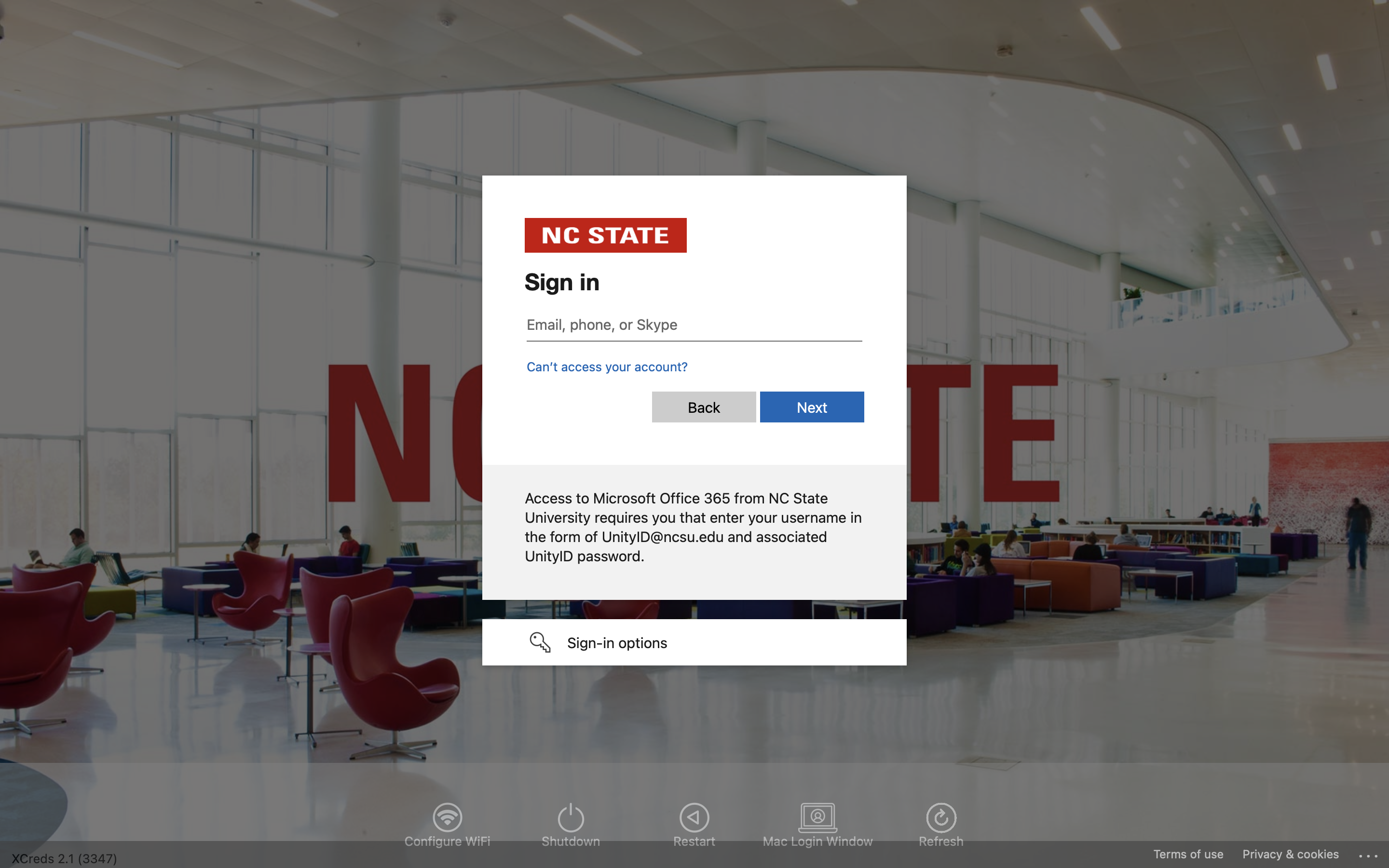
When using your unity password to log into your Mac, XCreds verifies the password with our IDP and saves the tokens to the user keychain for validation that the cloud password is in sync with the local password.
What does it look like in our environment?
Password Syncing
XCreds works by keeping your local Mac password in sync with our IDP. XCreds runs in the background and checks if the cloud password has been changed. If it detects the password has changed, it prompts to log in to the cloud provider and updates the local password and the keychain password automatically. Checks for password changes happen once per hour, and may also be triggered by other events (logout, login, restart, etc.)
Here's what happens when you change your password.
With XCreds installed, you will see a new icon in your menu bar. The NCSU Password Change Form is also available by selecting Change Password...
When XCreds detects that your unity password has changed, you will receive a prompt to sync your local password (this is the password you use to login to your computer) with your new network password (your new unity password).
Once this step is completed, your passwords are in sync.
For customers of the OIT Managed Desktop Service