30.0 - Last modified on 2026-08-17 Revised by Peyton Armstrong
29.0 - Last modified on 2026-08-14 Revised by Peyton Armstrong
28.0 - Last modified on 2026-08-12 Revised by Peyton Armstrong
27.0 - Last modified on 2026-08-10 Revised by Peyton Armstrong
26.0 - Last modified on 2026-08-10 Revised by Peyton Armstrong
25.0 - Last modified on 2026-08-10 Revised by Peyton Armstrong
24.0 - Last modified on 2026-08-10 Revised by Peyton Armstrong
23.0 - Last modified on 2026-08-10 Revised by Peyton Armstrong
22.0 - Last modified on 2026-08-10 Revised by Peyton Armstrong
21.0 - Last modified on 2026-08-10 Revised by Peyton Armstrong
20.0 - Last modified on 2026-08-07 Revised by Peyton Armstrong
19.0 - Last modified on 2026-08-06 Revised by Peyton Armstrong
18.0 - Last modified on 2026-08-06 Revised by Peyton Armstrong
17.0 - Last modified on 2026-08-06 Revised by Peyton Armstrong
16.0 - Last modified on 2026-08-06 Revised by Peyton Armstrong
15.0 - Last modified on 2026-08-06 Revised by Peyton Armstrong
14.0 - Last modified on 2026-08-06 Revised by Peyton Armstrong
13.0 - Last modified on 2026-08-06 Revised by Peyton Armstrong
12.0 - Last modified on 2026-08-06 Revised by Peyton Armstrong
11.0 - Last modified on 2026-08-06 Revised by Peyton Armstrong
10.0 - Last modified on 2026-08-06 Revised by Peyton Armstrong
9.0 - Last modified on 2026-08-06 Revised by Peyton Armstrong
8.0 - Last modified on 2026-08-06 Revised by Peyton Armstrong
7.0 - Last modified on 2026-08-06 Revised by Peyton Armstrong
6.0 - Last modified on 2026-08-06 Revised by Peyton Armstrong
5.0 - Last modified on 2026-08-06 Revised by Peyton Armstrong
4.0 - Last modified on 2026-08-06 Revised by Peyton Armstrong
3.0 - Last modified on 2026-08-06 Revised by Peyton Armstrong
2.0 - Last modified on 2026-08-06 Revised by Peyton Armstrong
1.0 - Created on 2026-08-06 Authored by Peyton Armstrong
Purpose
This article provides guidance for the Jamf Pro migration from nc.jamfcloud to ncsu.jamfcloud
What is happening
OIT has created a new Jamf Pro instance (our configuration management system), and all university devices need to be enrolled in it.
macOS users - What to expect
You will see the following
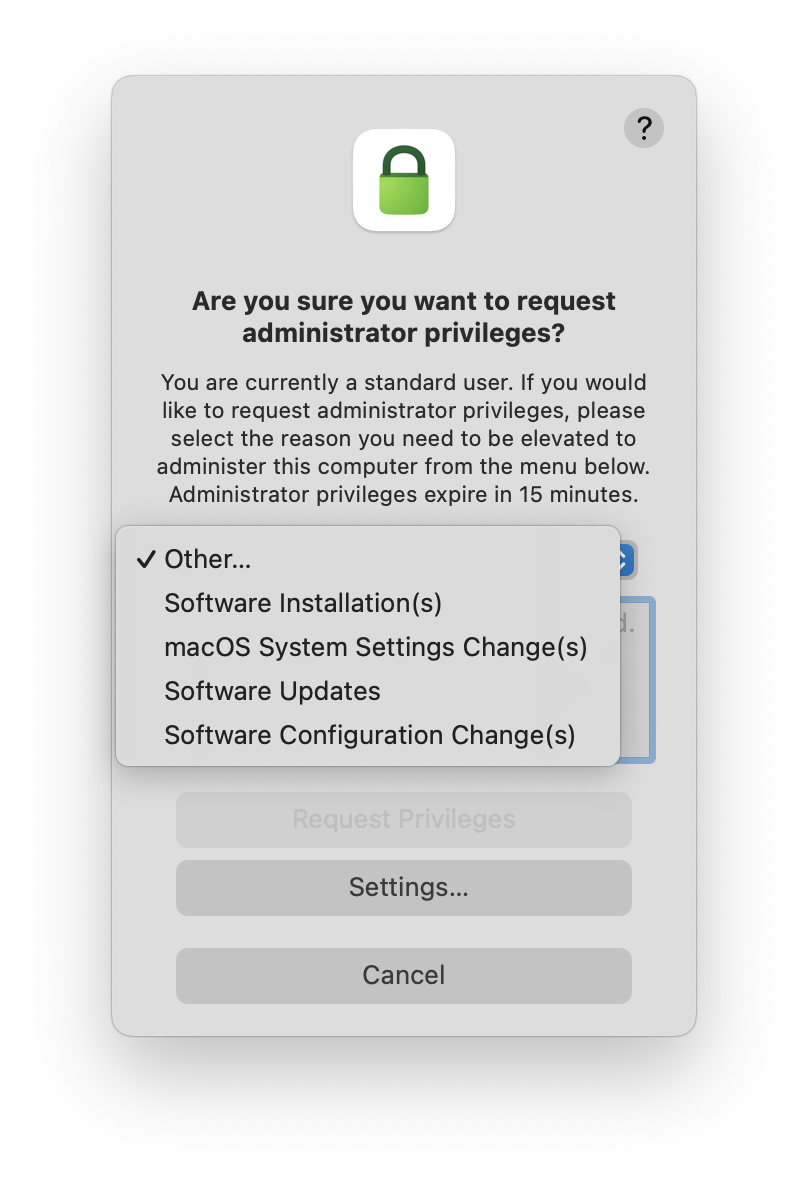
Type your own, or choose a reason closest to your need for elevation
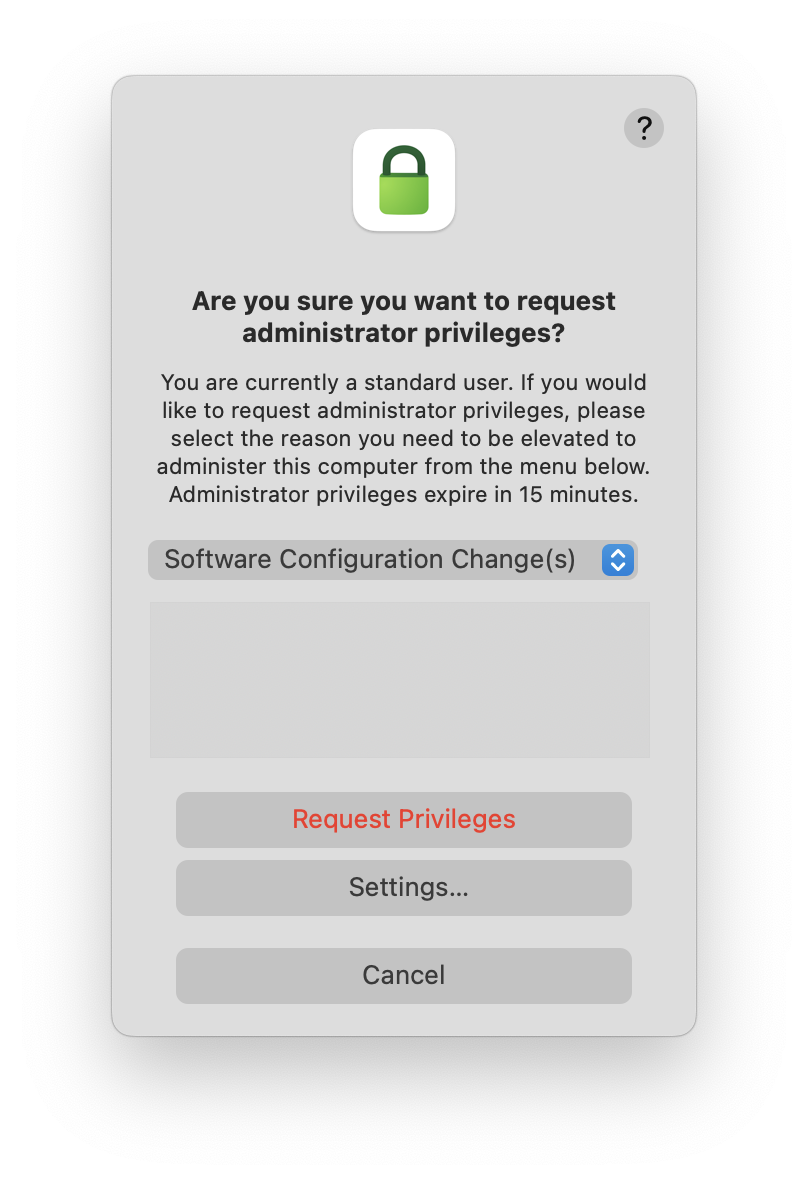
Click "Request Privileges"
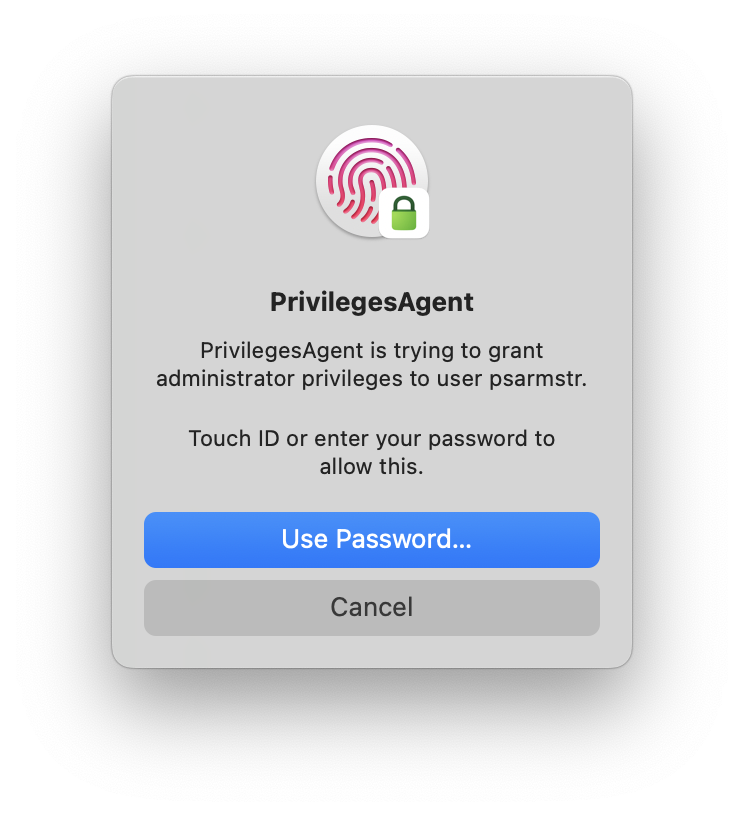
Authenticate
Where is the application found?
If you have the Privileges application installed, you will see the following:
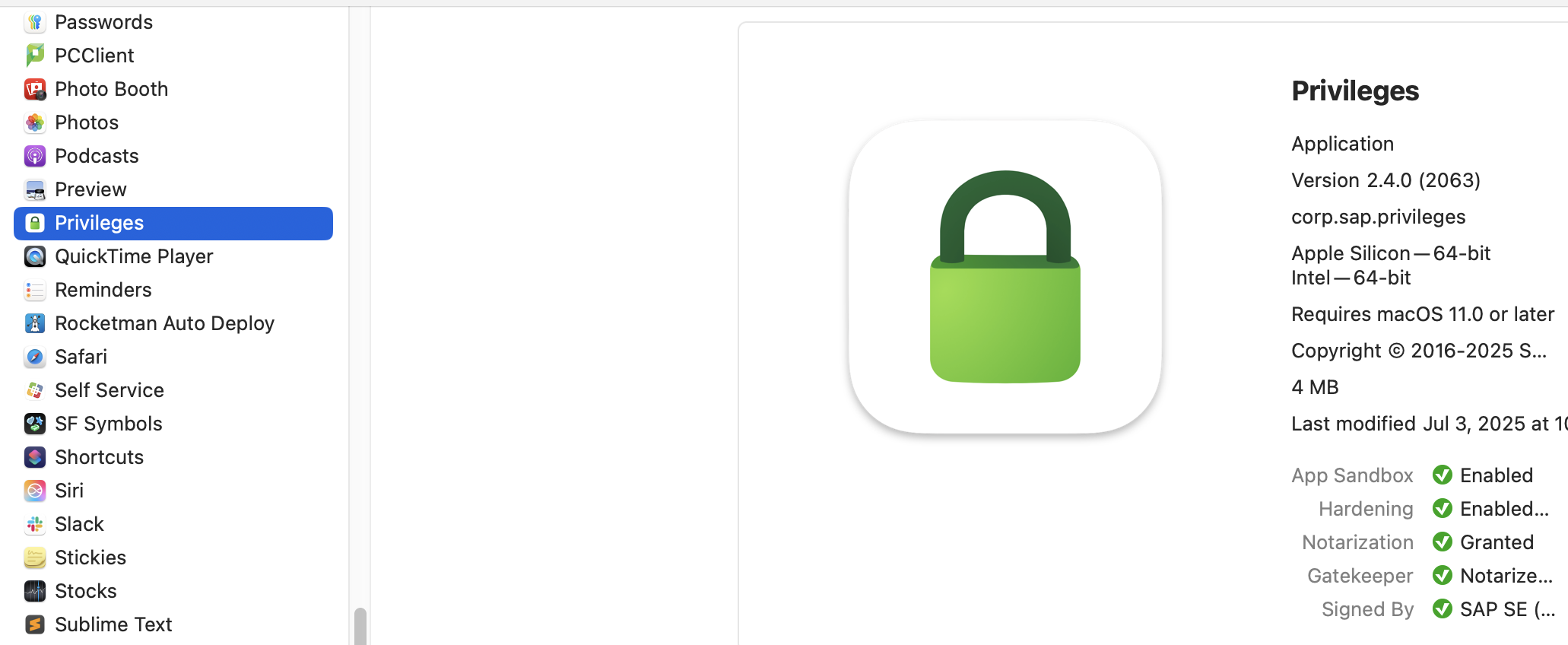
Applications folder

Dock unlocked

Dock locked

Menubar unlocked

Menubar locked
Things to note
- Elevation requests are logged to Splunk.
- Other admin accounts on the computer are demoted via Jamf Pro policy.
- The Self Service elevation policy will no longer be available.
- Settings are subject to change to stay in-line with campus security policies and management best practices.
Need Help?
An OIT Managed Desktop Services Support team is available to help you through the process, and answer any questions you may have. Please don't hesitate to reach out.
ServiceNow queue = OIT_DESKTOP_SUPPORT
Additional information
Title: Privileges.app - OIT-MD - Jamf Migration Supplmental KBA
Service: Jamf Pro
Template if applicable: NA
Assignment Group(s): OIT_DESKTOP_SUPPORT
Document Owner: OIT_DESKTOP_SUPPORT
Available Priorities: Medium, Low
Keywords: macOS, admin, compliance, device, Apple, computer, migration, site, Jamf, Jamf Pro