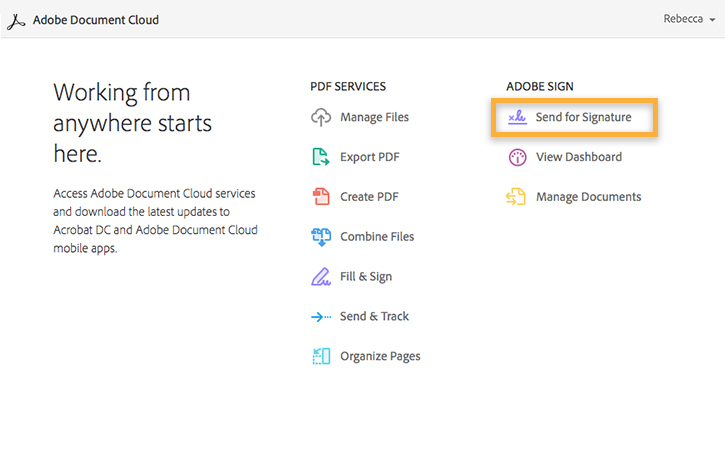
Step 1. Open Send for Signature page in Document Cloud
-
- Click Send for Signature.
Step 2. Add signer email addresses
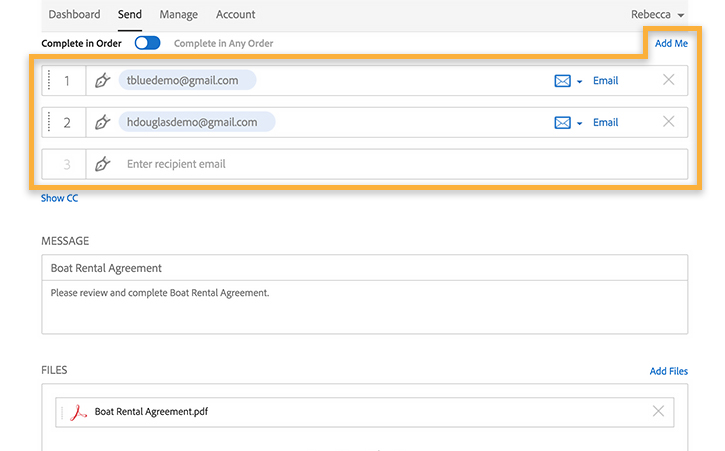
- Enter the signers' email addresses in the email address fields. By default, they sign in the order entered. To change signature order, drag them into the correct order by holding the dots to the left of the numbers. Alternatively, select Complete in Any Order.
- If you need to sign the document too, click Add Me.
Step 3. Upload your document
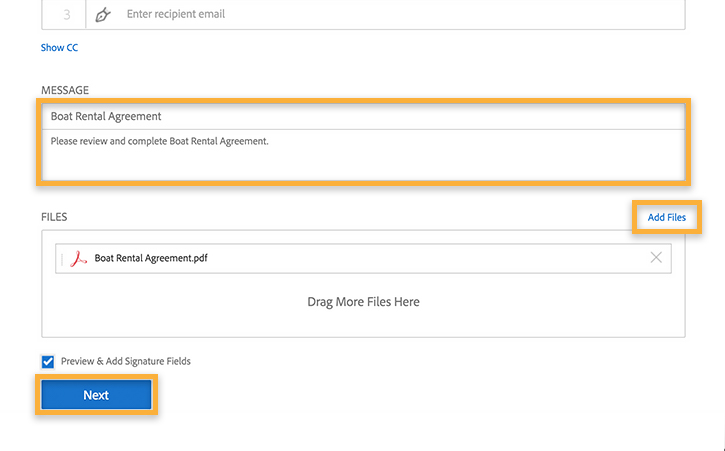
- In the Document Name field, enter the name of the document.
- Click the Add Files button and choose the document you want to upload.
- Check the box next to Preview & Add Signature Fields. Then click the Next button.
Step 4. Add signature fields to your document
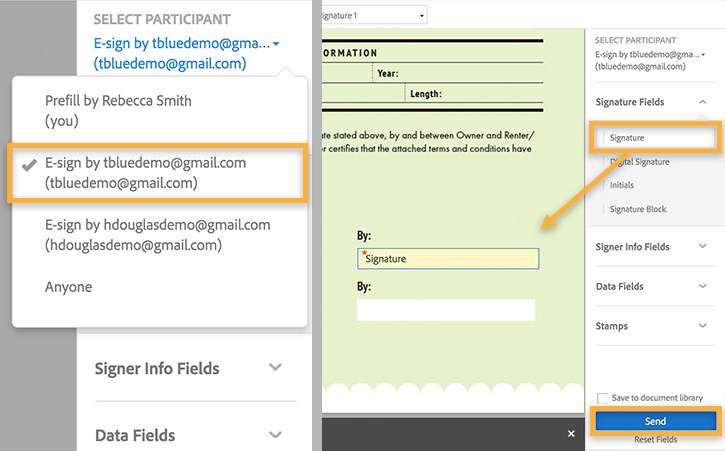
- From the Select Participant pull-down menu, choose a signer and then drag and drop a signature field to the desired position in the document.
- To place fields for other signers, repeat the actions above. When you are finished, click Send.
- Note: You can double-click any field you've placed to change its properties, including who will complete the field.
Step 5. Send the document for signature
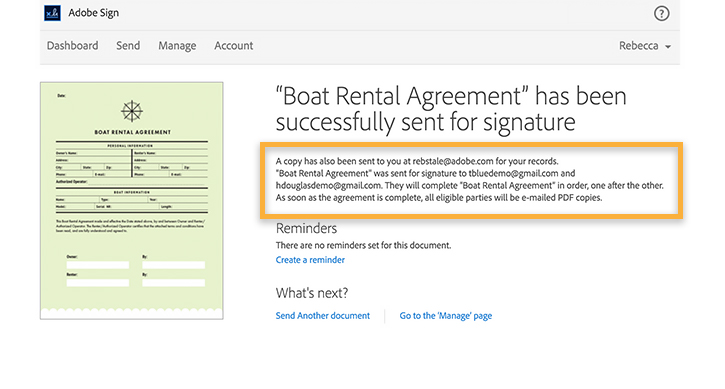
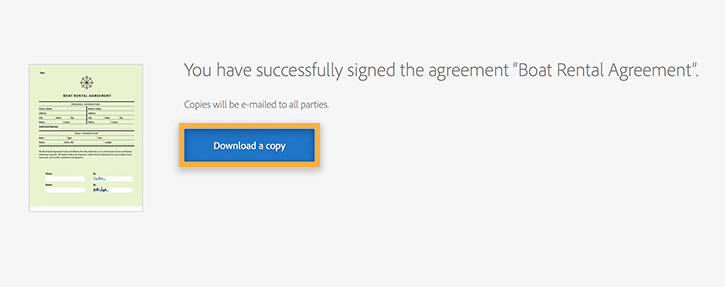
- Adobe Sign sends the document to the first person on your list. When that person signs, you will get an email notification. Then Adobe Sign sends the document to the next person on the list. When the last person signs, Adobe Sign sends the completed and secured document to all parties and files it in your account.
- You can view the signed and filed document in the Manage tab when you are signed in to Adobe Sign.