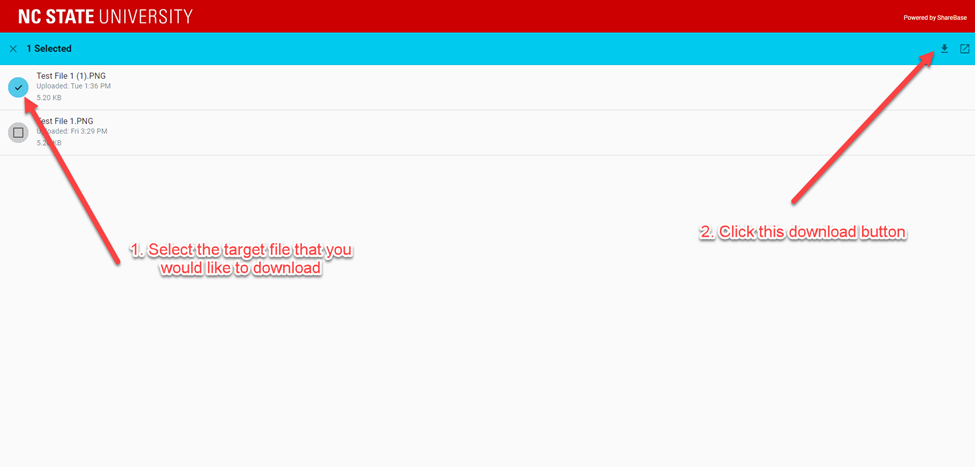
ShareBase Access Folder and View Download User Manual
Step 1: Receive an access email

Step 2: Verify the sender email address

Step 3: Open the access email and read its content

Step 4: Request an access code from the following page
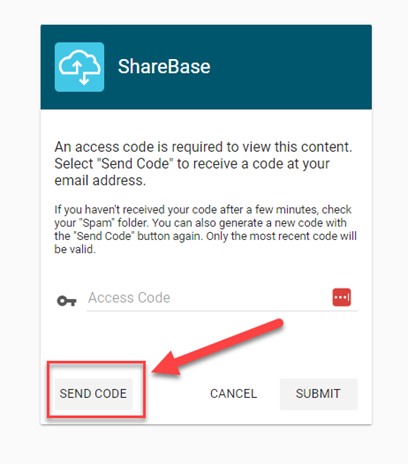
Step 5: Receive an access code from the software platform

Step 6: Copy the code within 5 mins and paste it to the access folder page
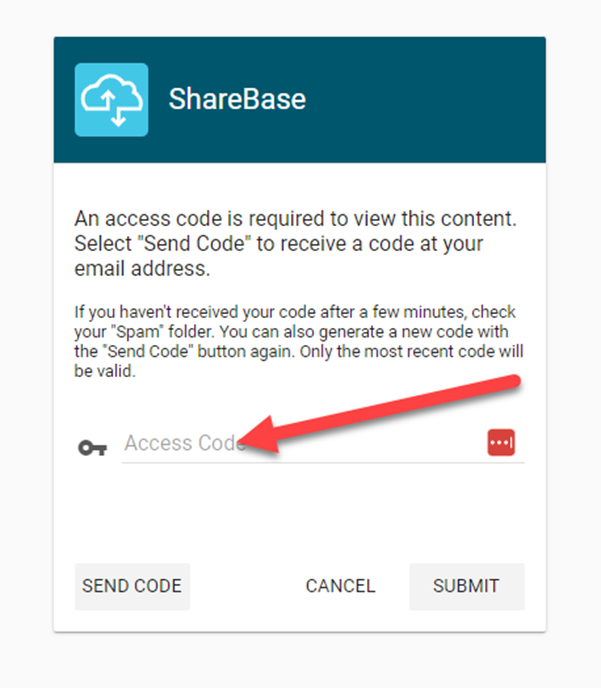
Step 7: Once you get onto the platform you will see this page
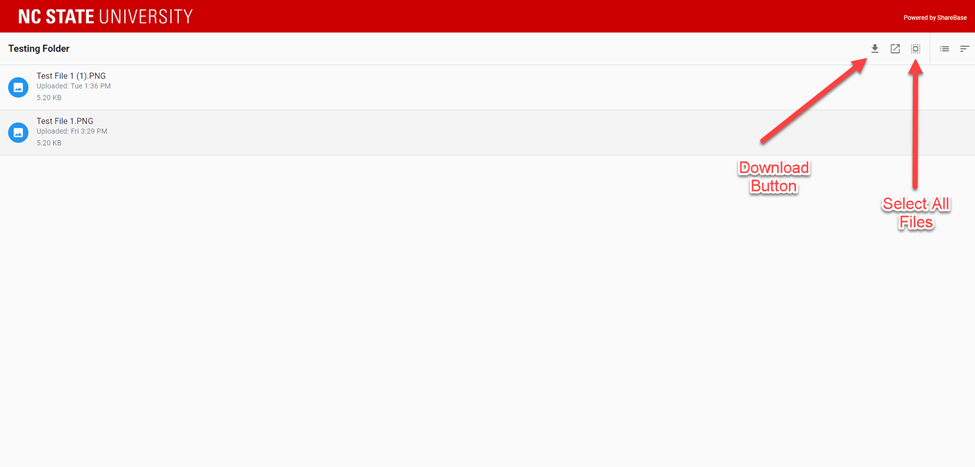
Step 8: If you want to download one you can either one of them you can do this